
Table of Contents
1. Foundations of Game Engine Development, Volume 1: Mathematics

2. Just Smarty ABC Tablet Interactive Educational Toy for 3 Year Olds and Up | Toddler Learning Toys and Word Games for Development | Fun Activities, Numbers, Spell and Music on Pretend Kid Tablet
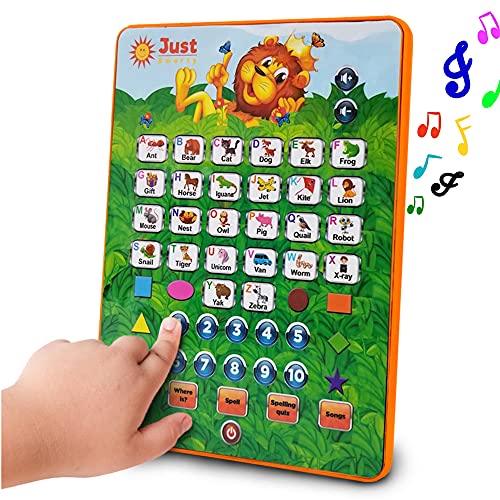
- ✅ COLORFUL, CREATIVE & BATTERIES INCLUDED – These tablets use fun colors and characters kids love. From the lion up top to the individual objects and items on each key, we’ve covered the rainbow and beyond! We include batteries so it is ready for use right out of the box!
- ✅ EXCEPTIONAL & FUN GAMES – Our board toy includes 5 modes which help stimulate children’s minds and encourage them to think through dynamic play: Spell, Songs, Spelling Quiz, Where Is? and Study modes.
- ✅ GREAT TRAVEL COMPANION – The table is perfect for airplane flights or car rides! Your toddler will be entertained and learning at the same time! Win-Win for parent and child.
- ✅ ADJUSTABLE VOLUME – You can use our educational toys at night or in the car without making much noise. Adjust to lower settings so the baby doesn’t startle or amp up the volume for groups or day care.
- ✅ 100% SATISFACTION GUARANTEED – We believe in our product’s ability to make learning fun. If you’re not satisfied for any reason, please contact our customer support and we’ll make it right!
3. Roblox Coding, Award-Winning, Coding for Kids, Ages 8+ with Online Mentoring Assistance, Learn Computer Programming and Code for Fun Games with Lua and Video Game Programming Software (PC & Mac)
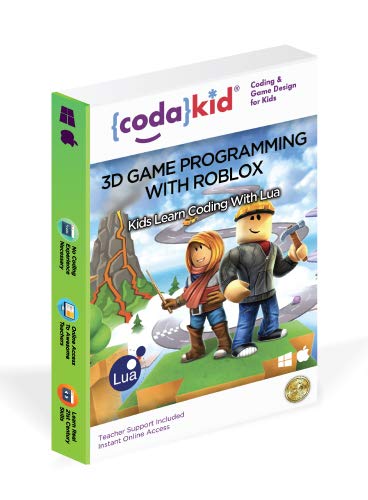
- Roblox Coding, Kids learn Lua coding and game design by making their own Roblox Games
- Roblox Coding for Kids, includes mentoring assistance and 40 hours of interactive coding lessons
- Coding for Roblox, for girls and boys aged 8 and upwards, the perfect Roblox gift to teach coding
- Educational Gifts, CodaKid is a winner of a Parents’ Choice Gold Award and CODiE Finalist
- Code for Kids, is a Self-paced, online course is on demand and can be used at any time
4. SJ@JX Development Keyboard Encoder Board Game Controller DIY LED Keyboard Development Board Media Music USB Encoder Arcade DIY Kit

- Development keyboard encoder board, It is very simple to become a developer now, DIY your machine!
- 104 keys keyboard, Provided by an extended circuit board.
- Designed for DIY game controllers, Comprising a lot of 5V power supply, easy to connect the LED lamp (red plug).
- Contains all media controls, Media, Mail, Calculator, Web, Search, My computer. Music control and web control.
- Compatible with Windows 10, Windows 8, Windows 7, Windows Vista, or Windows XP, Mac OS.
5. Learning Tablet for Kids, Toddler Educational ABC Toy, Learn Alphabet Sounds, Shapes, Music and Words – Early Development Electronic Activity Game

- Oh what fun! Little me can feel like big mommy, with my fun pad!
- Learn shapes, letters, words and sounds all in one handy toy tablet!
- Easy grip for little hands to grasp and press the buttons
- Enjoy hours of quiet as your child is engrossed in his new toy!
- Give the gift of education! Give you child this ABC game and grant him a future with the knowledge they can gain!
6. Hands-On Unity 2020 Game Development: Build, customize, and optimize professional games using Unity 2020 and C#

7. Redragon K502 RGB Gaming Keyboard RGB LED Backlit Illuminated 104 Key Silent Keyboard with Wrist Rest for Windows PC Games (RGB Backlit)

- QUIET GAMING KEYBOARD; 104 Key Gaming Keyboard with quiet Island-style Chiclet keys designed for longevity, durability and responsiveness. The keyboard keys offer less resistance and a short key travel, they require less work to type and still deliver precise tactile feedback for a Flawless Gaming Performance
- RGB BACK LIGHTED KEYBOARD; with 6 different Lighting modes & effects, 4 backlight brightness levels, adjustable breathing speed, the illumination can be completely turned off. The Laser engraved keycaps offering clear uniform backlighting
- EGRONOMIC SPLASH PROOF DESIGN; The PC Gaming Keyboard has been ergonomically designed to be a superb typing tool for office work as well. You’ll love the feel and keystroke accuracy, which leads to fewer errors and typos. The gaming Keyboard is built to withstand the average liquid spill. The integrated wrist rest gives you the comfort you need for marathon gaming sessions
- ANTI GHOSTING; The Redragon K502 has 25 conflict free (n-Key Rollover) 12 multimedia keys. Comes with Full numeric keypad and a gold-plated corrosion free USB connector for a reliable connection and ultimate Gaming performance
- PC GAMING KEYBOARD COMPATIBILITY: Windows 10, Windows 8, Windows 7, Windows Vista, or Windows XP, Limited Mac OS keyboard support. Works well with all major Computers Brands and Gaming PC
8. Chess Free

- Beautiful chess gameplay
- Tough, customizable AI
- Multiplayer support
- Score tracking and automatic saves
- Undo-move functionality
9. Meowbit Programming Board Game Development Board with 160 128 Screen Codable Console for Microsoft Makecode Arcade, macOS, Windows 7 and Above Available, with Orange Silicone Case

- ★User Manual: Please get the link from the product description below. recommended Age Grading (the manufacturer_minimum_age): 10+ years
- Meowbit is a card-sized graphical retro game computer with allows you coding with Makecode arcade and Python. In other words, it can use combines game programming with hardware devices.
- Meowbit is a card-sized grahical programming video game console designed for teenagers. It contains 1.8′ full-color screen, 6 x programmable buttons ,1 x buzzer, built-in light sensor , temperatur sensor, SD card slot (For extenal stoage), multyplayer connector and edge connector. Espcially the edge connector could access most micro:bit expension boards. We recommend to use Robot:bit for Mewobit, it can help you create a robot quickly.
- 160 * 128 Full Color Screen; Graphical Gamification Programming; Spanning Function; Rich Onboard Resources; Support Multi-languauge; Support Picture Drawing; Multi-platform and Multi-mode Programming.
- Programming Feature: The Meowbit Platform has it’s own Gamification Programming. It’s burnprocess is the same as Micro:bit. The interface contains a real-time simulator that allows you to run the program on the simulator without having to download the program verification repeatedly until it is satisfied and download it to the board for use.
