
Table of Contents
1. JavaScript: The Definitive Guide: Master the World’s Most-Used Programming Language

2. Learn JavaScript Quickly: A Complete Beginner’s Guide to Learning JavaScript, Even If You’re New to Programming (Crash Course With Hands-On Project)

3. Eloquent JavaScript, 3rd Edition: A Modern Introduction to Programming

4. Educational Insights Artie 3000 The Coding Robot: Drawing Robot, Homeschool or Classroom, Ages 7+
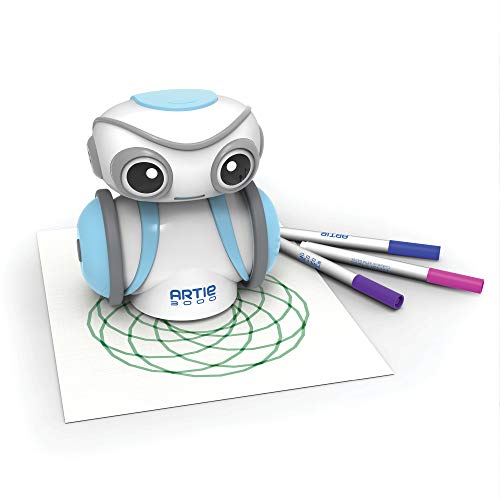
- THE CREATIVE WAY TO LEARN CODING: Artie 3000 is the coding robot for kids where you design the code, and Artie 3000 draws the lines! With pre-programmed designs, beginners can start coding right away
- UPDATE FIRMWARE! Artie 3000 recently had a firmware update, you can access this update on Artie 3000’s website. If you are still having issues reach out through Artie 3000’s website.
- EASY SETUP! Artie 3000 requires 4 AA batteries (not included), with his built-in WiFi server, no internet connection is required! You will need a tablet or computer (not included) to control Artie.
- PERFECT FOR BEGINNER AND ADVANCED CODERS: Start coding with Artie’s simple setup and pre-programmed designs (visit the downloads on Artie’s website for even more codes to expand your skills), and learn with Drag & Drop, Remote Control, Point & Click, Blockly, Snap!, Python and JavaScript coding languages.
- WHAT’S INCLUDED? Artie 3000 robot, 4 washable markers, quick start guide, and activity cards. Artie also has pre-coded designs and advanced coding apps for kids to grow with. Requires 4 AA batteries, not included. Be sure to check Artie’s website for new coding downloads
- SAFE & SECURE! No internet connection is required with Artie 3000. With his built-in WiFi server, all you need is a tablet, computer, or phone to control Artie. Artie does not collect data of any kind.
- ARTIE IS PERFECT FOR THE CLASSROOM OR AT HOME! Artie makes a great activity for kids to stay engaged, entertained, and learning at home or in the classroom. Children connect their device (not included) to Artie’s built-in WiFi and learn to code using Drag & Drop or advanced coders expand their knowledge with Python and JavaScript.
5. Web Design with HTML, CSS, JavaScript and jQuery Set
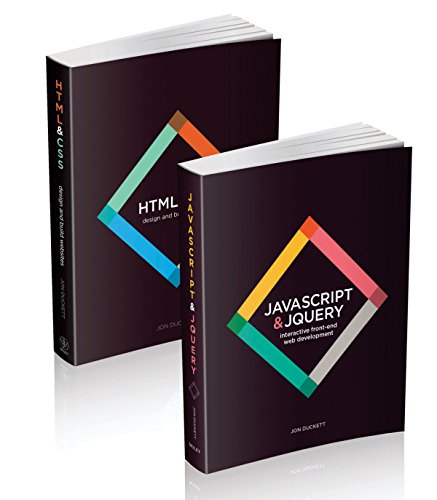
- Brand: Wiley
- Set of 2 Volumes
- A handy two-book set that uniquely combines related technologies Highly visual format and accessible language makes these books highly effective learning tools Perfect for beginning web designers and front-end developers
6. Sphero SPRK+: App-Enabled Robot Ball with Programmable Sensors + LED Lights – STEM Educational Toy for Kids – Learn JavaScript, Scratch & Swift
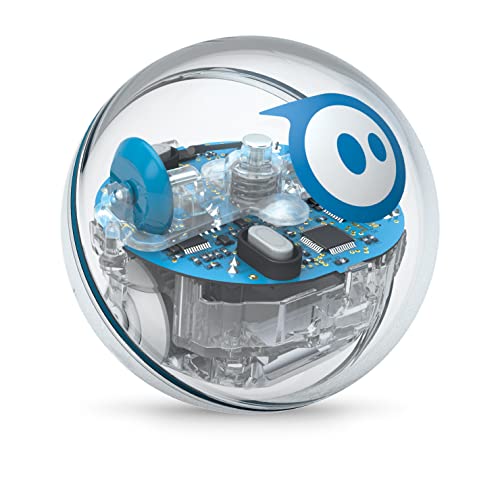
- MORE THAN JUST A ROBOT: Sphero SPRK+ is a programmable robot ball designed to inspire creativity and curiosity through coding and play. Easily learn programming, complete hands-on activities, and share your creations with the community.
- PROGRAMMABLE SENSORS & LED LIGHTS: SPRK+’s programmable sensors include a gyroscope, accelerometer, motor encoders, and colorful LED lights to create countless play experiences and coding conditions for all levels.
- EASY TO CODE & CREATE: Powered by the Sphero Edu app, you can program SPRK+ across several platforms using JavaScript. Looking for more fun? Use the Sphero Play app to drive and play games with your coding bot.
- BUILT TO LEARN & PLAY: With an hour of play, this educational robot is scratch-resistant, waterproof, charges inductively and connects via Bluetooth SMART so you can see your commands and creations come to life.
- INSPIRING THE CREATORS OF TOMORROW: Founded in 2010, we set out to redefine creative play experiences with the original Sphero app-enabled robot ball. Now, with our undeniably cool fleet of programmable robots and educational tools, we’re inspiring a new generation through hands-on applied learning of coding, science, music and the arts.
7. javascript QUICK REFERENCE POSTER computer programming cheat sheet 24X36

8. The Road to React: Your journey to master React.js in JavaScript (2021 Edition)

9. React Design Patterns and Best Practices: Design, build and deploy production-ready web applications using standard industry practices, 2nd Edition

10. Coding for Kids: Learn to Code Javascript – Video Game Design Coding Software – Computer Programming for Kids, Ages 11-18, (PC, Mac, Chromebook Compatible)
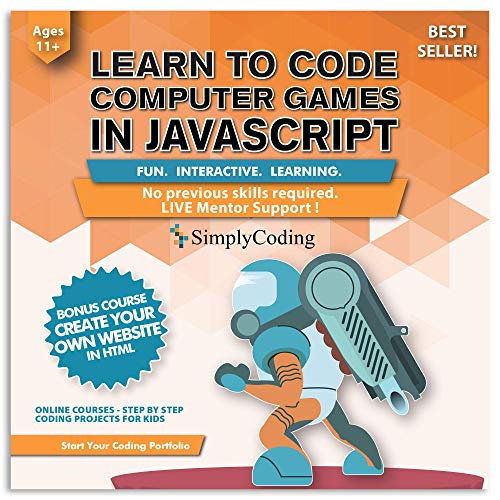
- ✓ CODING for all KIDS not JUST GAMERS: Gaming is a popular topic among youth. We use games as a fun medium to help students understand computer logic through coding as they create their own JavaScript Computer Games. This is about expanding students’ critical thinking skills and improving their confidence.
- ✓ LIVE MENTOR SUPPORT: Unlike other online coding programs for kids that offer you a “how to” sheet and let you learn from there, we offer live chat assistance. You can chat directly with a human mentor to make sure you or your child know exactly how to best design and code games using our JavaScript game design tutorials. Also, we provide learning through fun coding demos on our youtube channel and our code dungeon section for those who have purchased a course!
- ✓ SCHOOL and HOMESCHOOL APPROVED CURRICULUM and STEM CERTIFIED: The Simply Coding for kids pathway program has been approved by school systems throughout the country, both as part of their course catalogs and as an after school program. We have been in operation in classrooms since 2013 and always looking to help more communities! If your child has worked with other simple programs that offer block coding this experience of writing code in it’s native environment is the NEXT STEP!
- ✓ DESIGNED BY PROFESSIONAL PROGRAMMERS. MAJOR UPDATES EVERY SUMMER to keep up with evolving techniques and methods. Our software is designed and updated based on the feedback of thousands of teens who have helped us test, refine, and perfect our system. This is the perfect gift for boys or girls ages 11 and up.
- ✓ COMPATIBLE WITH ANY PC, CHROMEBOOK OR MAC: Unlike other programs that require strict system requirements, you simply need to access our online class via the provided pin code, create an account and start using our step by step tutorials. You will gain an useful JavaScript experience by creating computer games. Our self-directed lessons will guide the user through downloading a free text editor to their computer to give you a real world experience in managing a coding workspace.